
If you are a Nimble customer with an annual licence, you can choose to use your own URL. Rather than having an account URL ending in 'elearning247.com' or 'nimble-elearning.com', this can be changed to your own address.
For example, your account could change from: https://knowhow.nimble-elearning.com to: https://knowhow.yourcompany.com.
Here is an example of an existing account name: https://knowhow.nimble-elearning.com
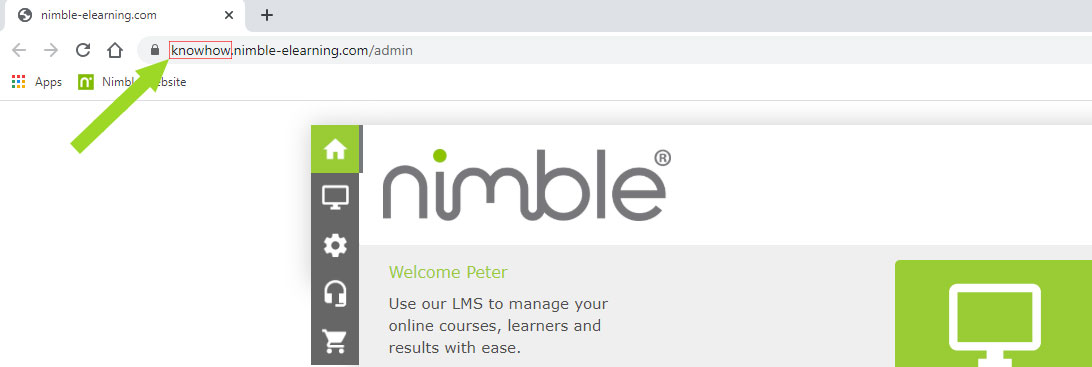
But with a bespoke URL set up it could be: https://knowhow.training.com:
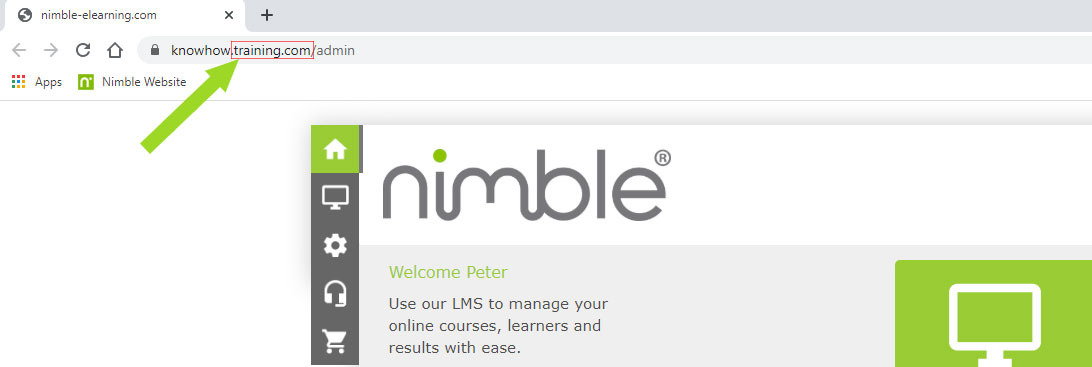
If you would like to proceed, your IT department will need to:
- Create the address - e.g. mylms.yourcompany.com.
- Add a CNAME record for the address (e.g. mylms.yourcompany.com) you created at step 1, pointing to s1.elearning247.com
- Check that the configuration is live by visiting https://mxtoolbox.com/CNAMELookup.aspx, entering the address you used at steps 1 and 2 into the Domain Name box and clicking the CNAME Lookup button. You should then see a response like the example below:
|
Type |
Domain Name |
Canonical Name |
TTL |
|
CNAME |
Mylms.mycompany.com |
12 hrs |
Once you have completed the above, the cname record has been setup and is pointing to to s1.elearning247.com please send an email to: support@nimble-elearning.com with the following information:
- The current URL of your account
- What you would like your new URL to be
- Whether you would like your current URL redirected to your new URL
We will then schedule the change with our development team and inform you once complete.
If you don't want to use a bespoke URL but want to change your .elearning247.com or .nimble-elearning.com address, or are a Pay As You Go customer, please see here for more information.
Comments
0 comments
Article is closed for comments.