
In this article, we’ll teach you how to unenrol learners from a course. You might want to do this if you no longer want some (or all) of your learners to have access to a course.
Important note: Unenrolling learners from a course will also delete their results from the system. For information on archiving please see here. If you’re doing this, first ensure that you’ve exported any learners’ results that you need to keep.
Unenrol learners from a course
To unenrol learners from a course:
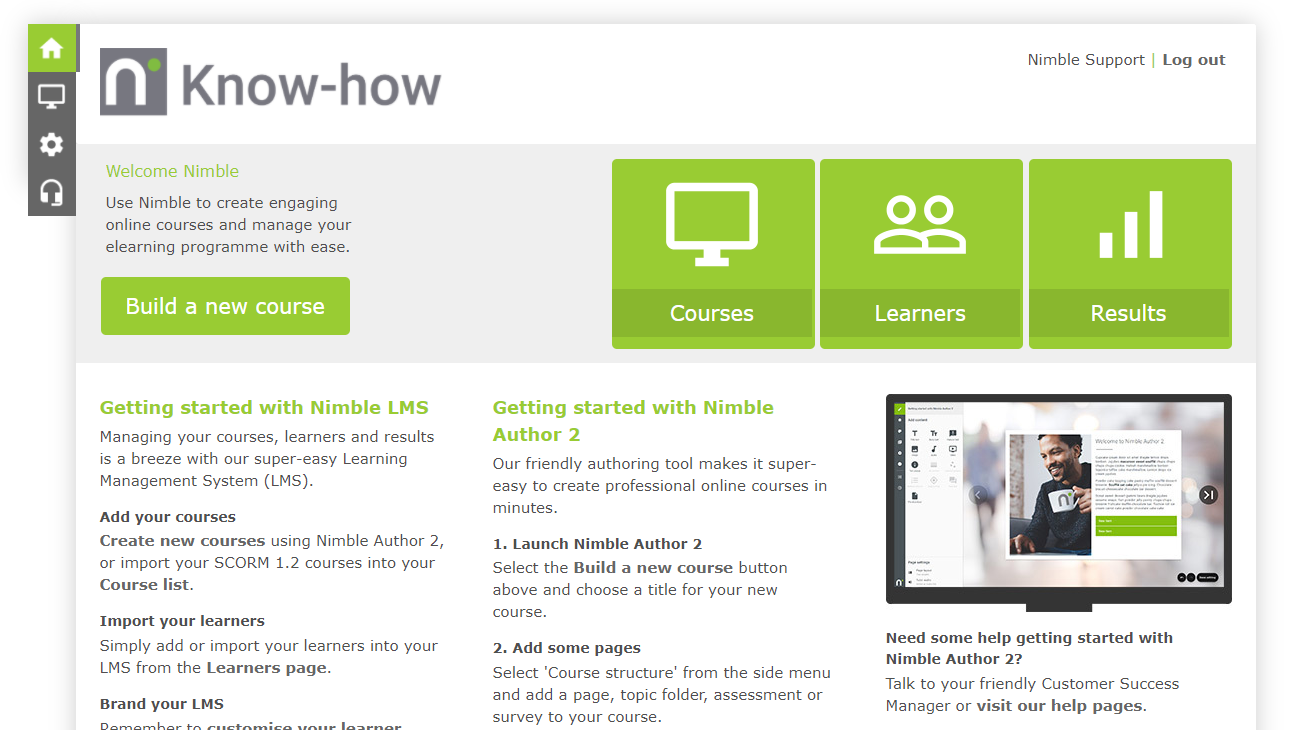
- From the Nimble LMS home screen, click the Learners button.
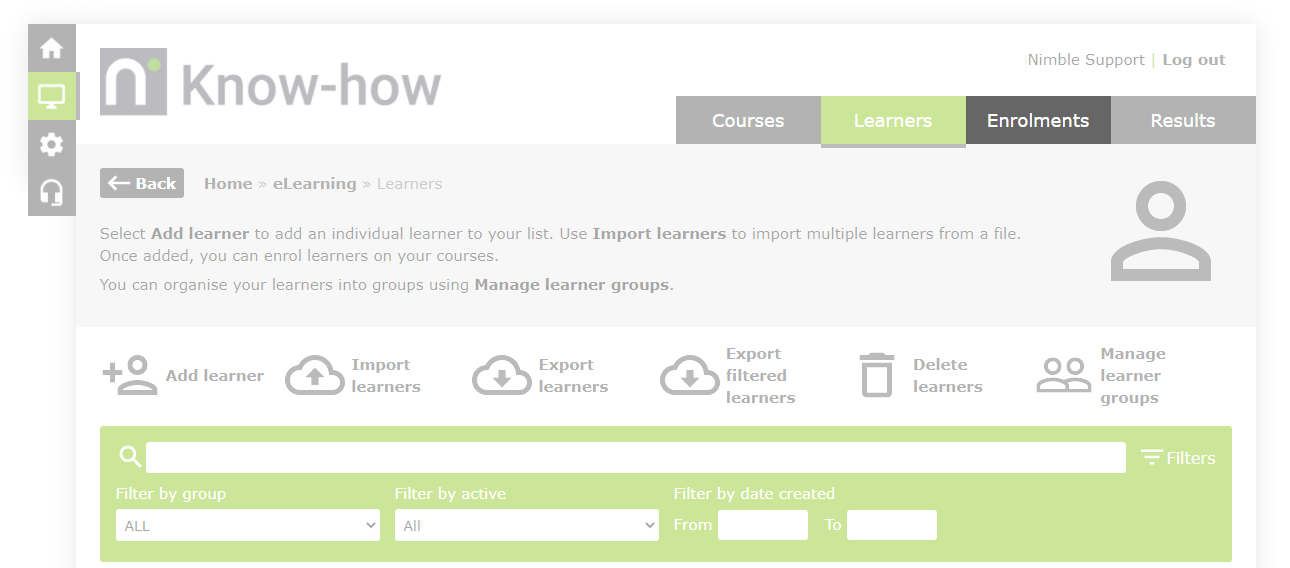
- Click the Enrolments tab. The enrolments page shows all your course enrolments in one easily viewed place.
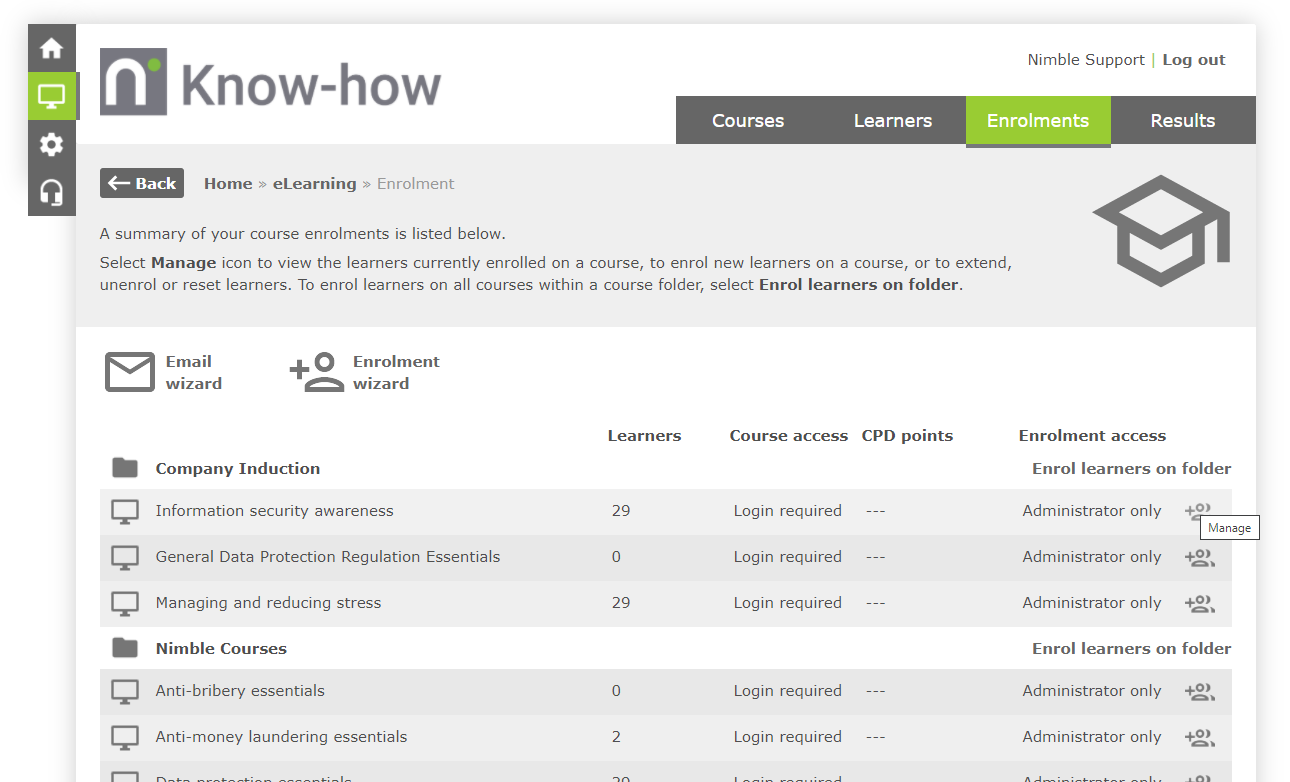
- Click the
 option next to the folder you’d like to unenrol your learners from.
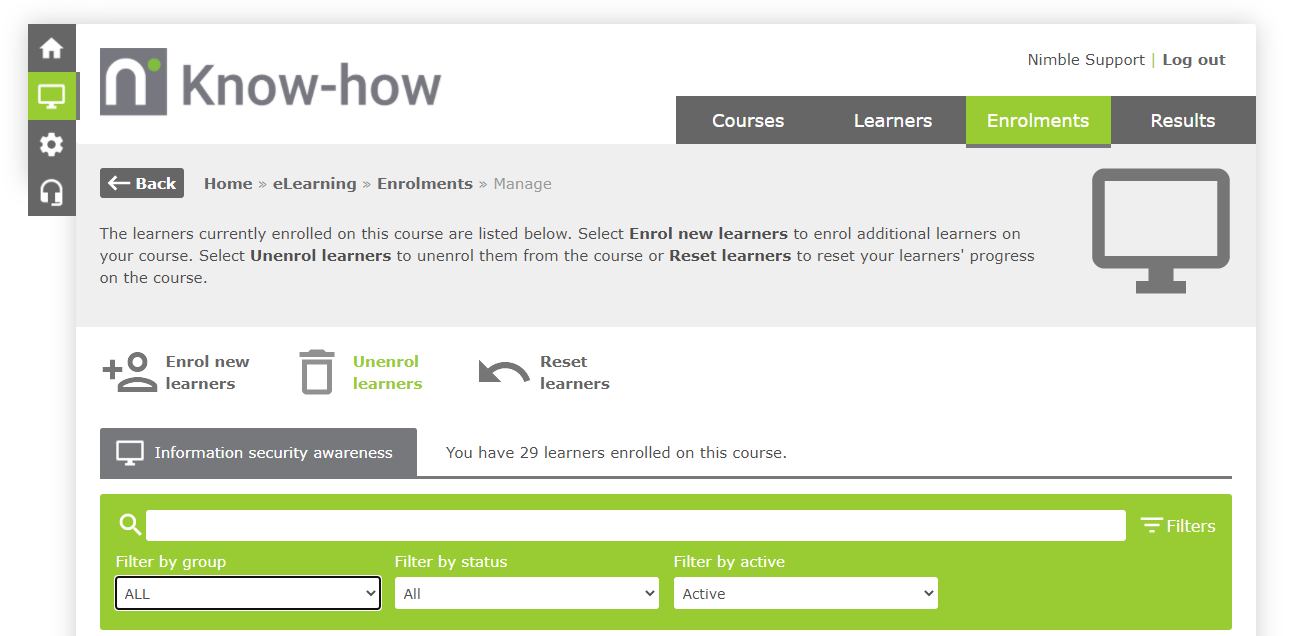
- Click the
 button.
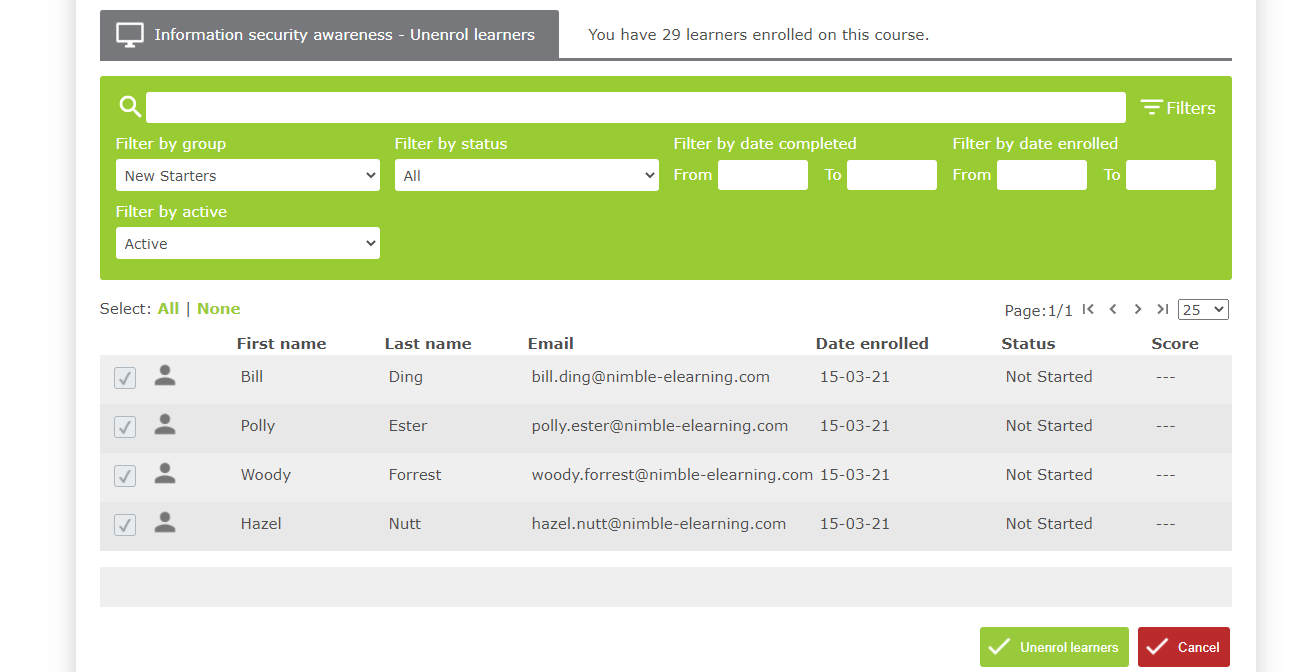
- Use the filters to locate the learners you’d like to unenrol from the course and place a
 in the checkbox next to them.
 - Click the
 button.
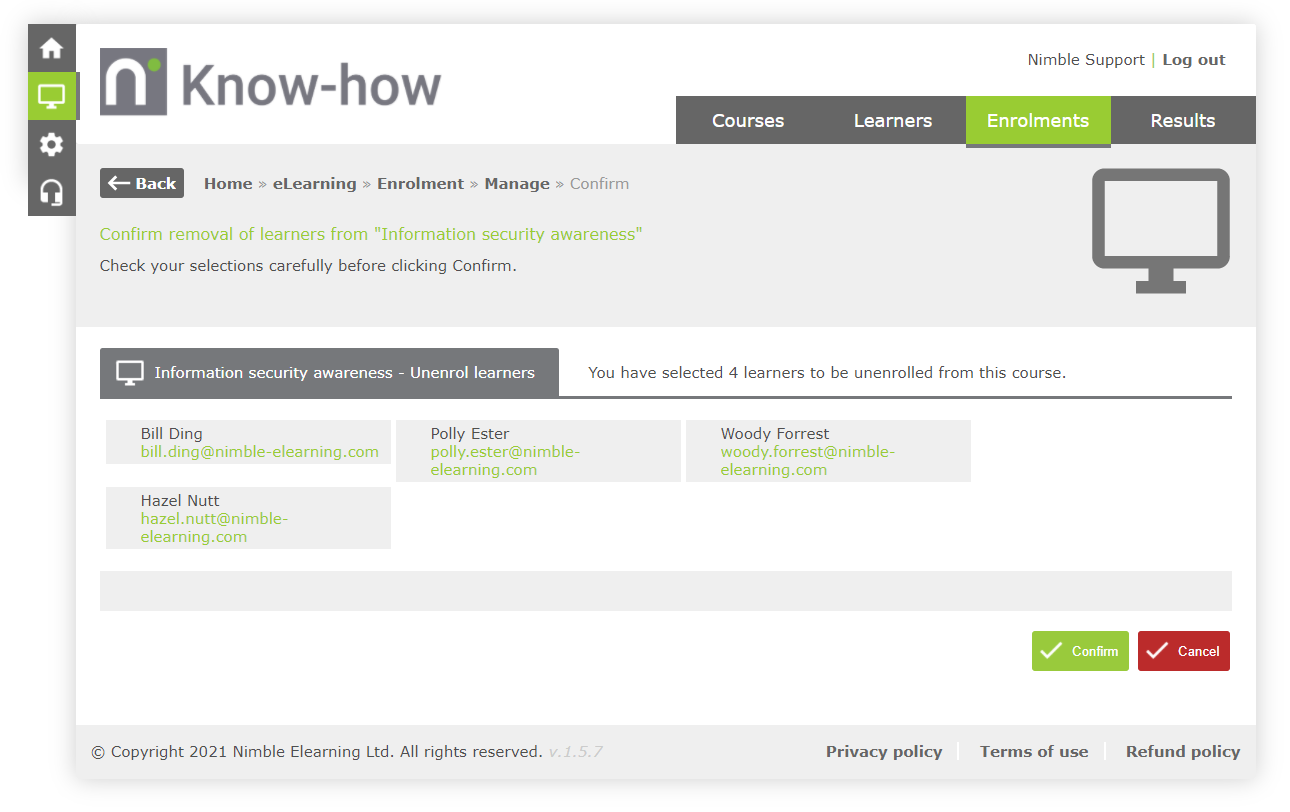
- Use the summary to double-check the unenrolments you’re about to make. Click the
 button once you’re happy with the changes you're about to make.
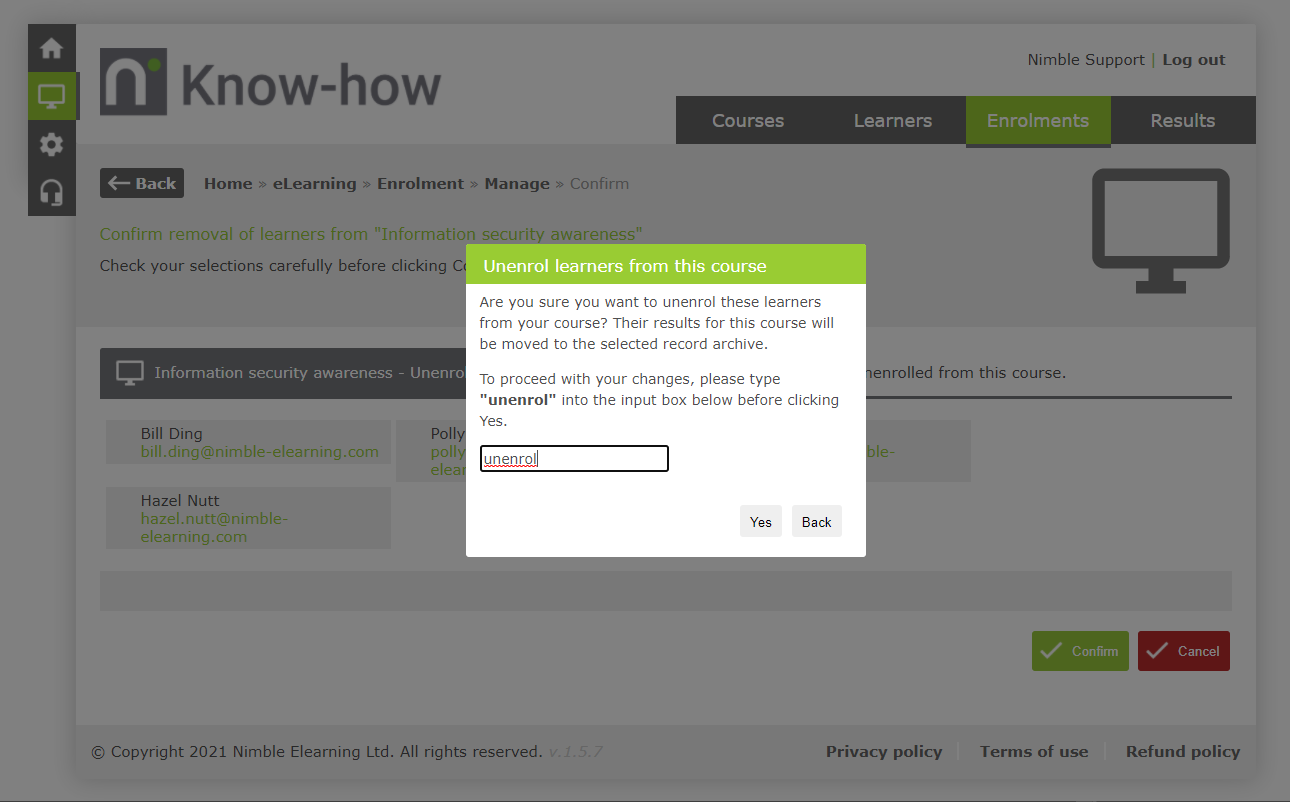
- Finalise your changes by typing unenrol into the box and clicking the
 button. Super – you’ve unenrolled your learners from the course.
Comments
0 comments
Article is closed for comments.